
Kofax (now Tungsten Automation)
- 2
- 3
- 4
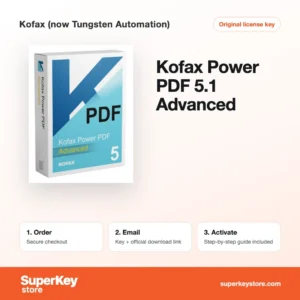
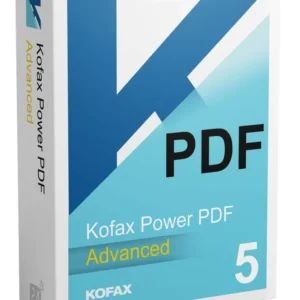
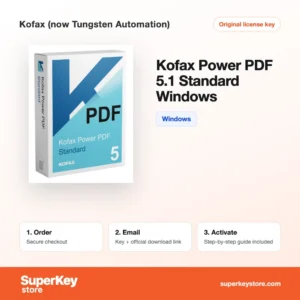
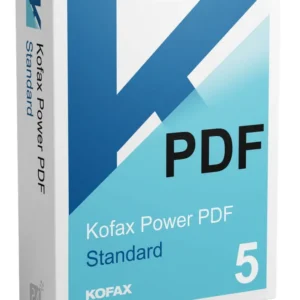
Buy Kofax (now Tungsten Automation) Software Licenses at SuperKeyStore
Kofax built well-known document software for Windows offices: Power PDF for creating and editing PDF files, PaperPort for scanning and organizing paper documents, and OmniPage for optical character recognition (OCR). In 2024 the company renamed itself Tungsten Automation, but the existing Kofax products remain in wide use.
This page suits small businesses, legal and accounting offices, and home users who handle many scanned files. Choose between Kofax Power PDF 5.1 Standard, Kofax Power PDF 5.1 Advanced and Kofax PaperPort 14.8 Professional, among others. You receive a license key and a download link by email, usually within minutes.
Why buy a Kofax license?
Kofax software replaces paper workflows with searchable digital files:
- Edit PDFs like Word files: Power PDF lets you change text and images, reorder pages and fill forms without returning to the source file.
- Accurate conversion: Power PDF and OmniPage convert PDFs and scans into editable Word, Excel and PowerPoint documents.
- Organized scanning: PaperPort turns scanned pages into a visual desktop of thumbnails, so you can stack, sort and find documents quickly.
- Searchable archives: OCR adds a text layer to scanned files, so you can search old contracts and invoices by keyword.
- Security tools: The Advanced edition of Power PDF adds redaction, Bates numbering and stronger document protection for legal and compliance work.
What are the main features of Kofax?
Each Kofax product covers one part of the paper-to-digital workflow:
1. PDF editing and creation
Power PDF creates PDFs from any printable file and edits text, images and pages directly. Office workers can correct a contract or form without the original Word file.
2. Conversion to Office formats
Power PDF and OmniPage export PDFs to Word, Excel and PowerPoint while keeping layout and tables. This saves retyping for finance and admin teams.
3. OCR for scanned paper
OmniPage and the OCR engine in Power PDF recognize text in scanned pages in many languages. Archives become searchable and copyable.
4. Scan management
PaperPort shows documents as thumbnails on a desktop, stacks pages and connects to most scanners. Small offices use it to file letters, receipts and records.
5. Redaction and security
Power PDF Advanced removes sensitive text permanently, applies passwords and adds Bates numbers. Legal and compliance teams depend on these tools.
Which Kofax product is right for you?
Choose Power PDF if you mainly create and edit PDFs, PaperPort if you scan and file paper, and OmniPage if you need high-volume text recognition.
| Product | Best for | Platform | License |
|---|---|---|---|
| Kofax Power PDF 5.1 Standard | Everyday PDF creation, editing and conversion | Windows | One-time purchase |
| Kofax Power PDF 5.1 Advanced | Offices that need redaction, Bates numbering and advanced security | Windows | One-time purchase |
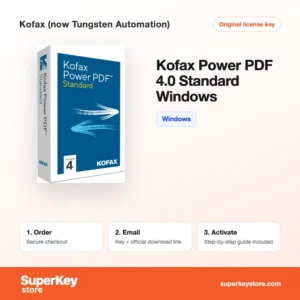
| Kofax Power PDF 4.0 Standard | Users who prefer the previous version at a lower price | Windows | One-time purchase |
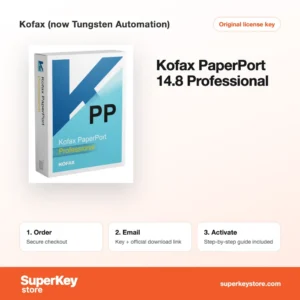
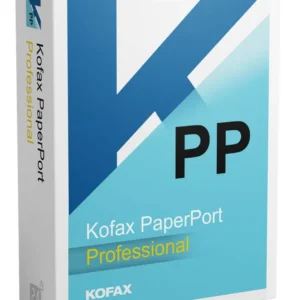
| Kofax PaperPort 14.8 Professional | Scanning, filing and sharing documents in small offices | Windows | One-time purchase |
| Kofax PaperPort 14 Standard | Home users who scan bills and letters | Windows | One-time purchase |
| Kofax OmniPage Standard | Converting scans and images into editable text | Windows | One-time purchase |
If you are unsure between versions, the newer 5.1 release brings an updated interface and improved conversion, while 4.0 covers the same core tasks for a lower price. PaperPort 14.8 Professional also adds network folder support and more scanner options than the Standard edition, which matters when several people share one scanner.
What are the system requirements for Kofax?
Kofax desktop products run on current 64-bit Windows; check each product's System Requirements tab, since older versions list older Windows releases.
| Component | Minimum |
|---|---|
| Operating system | Windows 11 or Windows 10 |
| Processor | 1.5 GHz or faster processor |
| Memory (RAM) | 4 GB recommended |
| Disk space | About 1-2 GB for installation |
| Other | Internet connection for activation; scanner with TWAIN or WIA driver for PaperPort |
Older releases such as Power PDF 4.0 and PaperPort 14 also run on Windows 10 and 11. For scanning, make sure your scanner has a current TWAIN or WIA driver from its maker, because PaperPort and OmniPage talk to the scanner through that driver. A fast SSD helps when you convert or search large PDF files with hundreds of pages.
How do you download and activate Kofax software?
- Place your order: Select the Kofax product and pay at checkout.
- Receive the email: The license key and download link usually arrive within minutes; a security check can take up to 24 hours.
- Install: Download the installer from the developer's site (Kofax or Tungsten Automation) and run it on your Windows PC.
- Activate: Enter the serial number when the setup asks for it, or under the help menu after installation.
What happens to my Kofax license if I reinstall or format my computer?
Kofax products activate online with a serial number. After formatting the PC, reinstall the program and enter the same serial number. Deactivating the old installation first, via the help menu where available, avoids activation limit errors.
Can I move a Kofax license to a new PC or Mac?
Yes. Uninstall or deactivate the software on the old computer, then install it on the new PC and enter your serial number. The editions sold here are Windows products; Mac users need a separate product.
Keep the email with your serial number in a safe place, or save it in a password manager. You will need it for every reinstall, and it also proves your purchase if you contact support.
What if my Kofax (now Tungsten Automation) key does not work?
Write to our support team with your order number and a screenshot of the activation message. We will provide a replacement key or a refund in line with our Refund Policy.
Frequently asked questions about Kofax
Is Kofax the same company as Tungsten Automation?
Yes. Kofax changed its name to Tungsten Automation in 2024, and newer releases of Power PDF carry the Tungsten name.
What is the difference between Power PDF Standard and Advanced?
Standard covers creating, editing, converting and signing PDFs. Advanced adds redaction, Bates stamping, extra security options and features for team use.
Is Kofax Power PDF a subscription?
No. The Power PDF versions sold here are one-time purchases that you can keep using without a yearly fee.
Does Kofax Power PDF work on Mac?
The editions on this page are for Windows. Kofax once sold a separate Mac version, so check the platform on each product page.
Do I need PaperPort if I already have Power PDF?
Not always. Power PDF handles PDF editing, while PaperPort is built for scanning and organizing paper, so many offices use both.
Can Power PDF open files from Adobe Acrobat?
Yes. PDF is an open standard, so Power PDF opens, edits and saves files created by Acrobat and other tools.
Does PaperPort include OCR?
Yes. PaperPort includes OCR, so scanned pages can be made searchable and converted to text.
Is OmniPage the same as the OCR in Power PDF?
Both use Kofax OCR technology. OmniPage offers more control for large batches and complex layouts.
Does Power PDF support digital signatures?
Yes. You can sign documents with digital IDs and request or verify signatures.
Browse Kofax (now Tungsten Automation) Software Licenses by type
All Kofax titles are listed in our PDF & Office Tools Licenses category, next to other PDF editors, OCR tools and office suites. Questions before buying are answered on our FAQ page.
What do you get after buying Kofax (now Tungsten Automation) licenses at SuperKeyStore?
You get an email with your license key, the official download link and step-by-step activation instructions. These items are included with every order:
- License key: the product key for the edition, term and number of devices named on the product page.
- Official download: a link to the installer on the developer's own website.
- Activation guide: the steps to install and activate the software, also shown in the Download & Activation tab.
- Order history: the key stays in your confirmation email and under My account.
- Email support: help with installation or activation from our support team.
Why buy software licenses from SuperKeyStore?
SuperKeyStore sells digital license keys with email delivery, secure checkout and a clear policy for faulty keys. The main reasons customers order here are:
- Digital delivery: no shipping; the key usually arrives by email within minutes of payment, and some orders get a security check of up to 24 hours.
- Clear product details: every product page states the edition, platform, license term and number of devices.
- Replacement or refund: if a key does not work, you get a working key or your money back, as set out in the Refund Policy.
- Secure payment: payments are processed by the payment provider; SuperKeyStore does not store full card details.
Other software licenses in the SuperKeyStore catalog
SuperKeyStore also sells licenses in these categories:
- Windows Licenses: Windows 11 Licenses · Windows 10 Licenses
- Microsoft Office Licenses: Office 2024 Licenses · Office 2021 Licenses · Office 2019 Licenses · Office 2016 Licenses · Microsoft Office for Mac Licenses · Microsoft Word, Excel & Office App Licenses · Microsoft Project Licenses · Microsoft Visio Licenses
- Microsoft 365 Licenses
- Antivirus Licenses: Norton Antivirus Licenses · McAfee Antivirus Licenses · Kaspersky Antivirus Licenses · Bitdefender Antivirus Licenses · ESET Antivirus Licenses · Avast Antivirus Licenses · AVG Antivirus Licenses · Panda Antivirus Licenses · VPN Licenses · Business Security Licenses
- Windows Server Licenses & CALs: Windows Server CAL & RDS CAL Licenses · Microsoft SQL Server Licenses · Exchange & SharePoint Server Licenses
- CAD & 3D Design Software Licenses: Autodesk Software Licenses · Graphisoft Archicad Licenses · SolidWORKS Licenses
- Graphic Design & Photo Software Licenses: Adobe Software Licenses · CorelDRAW Licenses
- PDF & Office Tools Licenses
- Backup & Data Recovery Software Licenses
- Video & Music Software Licenses
- Virtualization Software Licenses
- Office & Windows Bundle Licenses