
Windows 10 Licenses
Windows 10 licenses activate Windows 10 Home, Pro, Enterprise, Education or LTSC. A Windows 10 Pro or Home license can also be used to upgrade eligible PCs to Windows 11.
- 2
- 3
- 4
Buy Windows 10 Licenses at SuperKeyStore
Windows 10 is still installed on a large share of office and home PCs, and many companies keep it for compatibility with existing hardware and business software. This category covers every edition we stock: Windows 10 Pro, Windows 10 Home, Enterprise and Education, the long-term servicing builds such as Windows 10 Enterprise 2021 LTSC, and the Extended Security Updates subscription.
Buyers include PC builders, refurbishers, IT departments and home users who reinstall an older machine. You receive a product key and a link to Microsoft's official download page by email, usually within minutes.
Why buy a Windows 10 license?
A valid license keeps a Windows 10 PC fully functional. These are the practical reasons:
- Full activation: An activated system removes the watermark and unlocks personalisation settings such as wallpaper and colors.
- Path to Windows 11: A Windows 10 Home or Pro key also activates the matching Windows 11 edition on hardware that meets Windows 11 requirements.
- Business features in Pro: Windows 10 Pro adds BitLocker encryption, Remote Desktop host, Group Policy and joining a domain or Microsoft Entra ID.
- Stable LTSC builds: LTSC and LTSB editions skip feature updates and leave out Store apps, which suits machines in labs, kiosks and production lines.
- Extra security time: The ESU program delivers monthly security patches for companies that cannot move to Windows 11 yet.
What are the main features of Windows 10?
Windows 10 offers a mature feature set that still meets the needs of many users:
1. Familiar Start menu and desktop
Windows 10 combines the classic Start menu with live tiles and a taskbar that many users know well. Offices can avoid retraining staff.
2. BitLocker and Windows Hello
Pro, Enterprise and Education include BitLocker drive encryption, and all editions support Windows Hello sign-in with face or fingerprint. Laptops are protected if lost or stolen.
3. Remote Desktop and domain join
Pro and higher editions can be controlled remotely and joined to a Windows domain or Microsoft Entra ID. IT departments manage them with Group Policy.
4. Hyper-V virtualization
Pro, Enterprise and Education include Hyper-V for running virtual machines. Developers and testers can run several systems on one PC.
5. Broad hardware support
Windows 10 runs on older processors and PCs without TPM 2.0. It keeps hardware in use that cannot be upgraded to Windows 11.
6. Long-term servicing editions
LTSC editions keep one feature set for years with only security fixes. Medical devices, ATMs and machine controls rely on this stability.
Which Windows 10 product is right for you?
Choose Pro for work PCs, Home for simple private use and LTSC for devices that must stay unchanged for years. The table compares the main options.
| Product | Best for | License/term |
|---|---|---|
| Windows 10 Home | Private laptops and family PCs | One-time purchase |
| Windows 10 Pro | Freelancers and offices needing BitLocker and Remote Desktop | One-time purchase |
| Windows 10 Pro Upgrade | Upgrading an activated Home installation to Pro | One-time purchase |
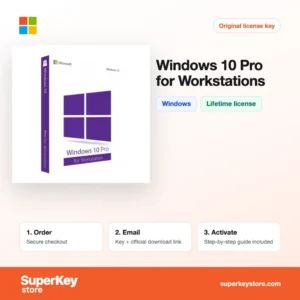
| Windows 10 Pro for Workstations | High-end PCs with server CPUs and large memory | One-time purchase |
| Windows 10 Enterprise 2021 LTSC | Fixed-function machines that need few changes | One-time purchase |
| Windows 10 ESU Commercial Year 1 (2025-2026) | Companies keeping Windows 10 after end of support | Yearly subscription |
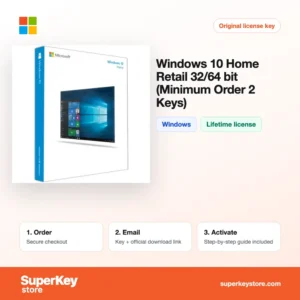
Retail packs for builders are available as Windows 10 Pro Retail (2-PC minimum order) and Windows 10 Home Retail (2-Pack). European N editions such as Windows 10 Pro N ship without media apps.
What are the system requirements for Windows 10?
Windows 10 runs on almost any PC from the last fifteen years; Microsoft's published minimums are shown below.
| Component | Minimum |
|---|---|
| Operating system | Clean install or upgrade from Windows 7 or 8.1 |
| Processor | 1 GHz or faster |
| Memory (RAM) | 2 GB for 64-bit (1 GB for 32-bit) |
| Disk space | 32 GB |
| Other | DirectX 9 graphics with WDDM 1.0 driver; 800 x 600 display; internet for activation |
How do you download and activate Windows 10?
- Order: Pick the edition you need and complete checkout.
- Receive your email: We send the product key and download link by email, usually within minutes. Some orders get a security check of up to 24 hours.
- Download: Use the Media Creation Tool from Microsoft's official website to make a USB stick or ISO file. LTSC and Enterprise media come from the link in your email.
- Activate: Enter the key during setup or later under Settings, Update & Security, Activation.
What happens to my Windows 10 license if I reinstall or format my computer?
Once Windows 10 is activated, Microsoft stores a digital license for that hardware. After a reinstall on the same PC, Windows activates automatically when it goes online, so you can skip the key during setup. If you link the license to a Microsoft account, the Activation troubleshooter helps after hardware changes.
Can I move a Windows 10 license to a new PC or Mac?
A retail Windows 10 license can be moved to a new PC; deactivate or wipe the old installation first and then enter the key on the new machine. OEM licenses stay with the first computer. Windows does not run natively on Apple silicon Macs; on those you need an ARM version of Windows in a virtual machine, which these keys may not cover.
What if my Windows 10 key does not work?
Email support with your order number and a screenshot of the Activation page in Settings. We supply a replacement key or a refund according to the Refund Policy.
Frequently asked questions about Windows 10
Is Windows 10 still supported?
Regular support ended on 14 October 2025. Companies can extend security updates with ESU, and LTSC editions have their own longer support dates.
Can I upgrade Windows 10 to Windows 11 for free?
Yes, an activated Windows 10 PC that meets the Windows 11 hardware requirements can upgrade at no cost. The edition stays the same, so Pro becomes Windows 11 Pro.
What is the difference between Windows 10 Home and Pro?
Pro adds BitLocker, Remote Desktop host, Hyper-V, Group Policy and domain join. Home covers everyday use without these business tools.
Can I move a Windows 10 license to a new PC?
Retail licenses can be moved after you remove them from the old PC. OEM licenses stay with the first computer.
What is Windows 10 Education?
Windows 10 Education is an edition for schools and universities with features similar to Enterprise.
What does LTSC mean?
LTSC stands for Long-Term Servicing Channel. It receives security fixes for years without feature updates.
Should I still buy Windows 10 today?
Buy Windows 10 only if your hardware or software requires it. Otherwise Windows 11 gives longer support.
Can I install Windows 10 without a key?
Yes, you can install and add the key later. Until activation, personalisation is limited and a watermark appears.
What is Windows 10 S Cloud?
It is a locked-down Windows 10 edition that runs only Store apps. It is meant for education and managed devices.
Is Windows 10 Enterprise available for small companies?
Yes, Windows 10 Enterprise is sold here as a single license. It adds features like AppLocker and Credential Guard that larger IT departments use to lock down PCs.
More Windows licenses
For the newer system see Windows Licenses, and add office apps with Microsoft Office Licenses or protection with Antivirus Licenses.
What do you get after buying Windows 10 Licenses at SuperKeyStore?
You get an email with your license key, the official download link and step-by-step activation instructions. These items are included with every order:
- License key: the product key for the edition, term and number of devices named on the product page.
- Official download: a link to the installer on the developer's own website.
- Activation guide: the steps to install and activate the software, also shown in the Download & Activation tab.
- Order history: the key stays in your confirmation email and under My account.
- Email support: help with installation or activation from our support team.
Why buy software licenses from SuperKeyStore?
SuperKeyStore sells digital license keys with email delivery, secure checkout and a clear policy for faulty keys. The main reasons customers order here are:
- Digital delivery: no shipping; the key usually arrives by email within minutes of payment, and some orders get a security check of up to 24 hours.
- Clear product details: every product page states the edition, platform, license term and number of devices.
- Replacement or refund: if a key does not work, you get a working key or your money back, as set out in the Refund Policy.
- Secure payment: payments are processed by the payment provider; SuperKeyStore does not store full card details.
Other software licenses in the SuperKeyStore catalog
SuperKeyStore also sells licenses in these categories:
- Windows Licenses: Windows 11 Licenses · Windows 10 Licenses
- Microsoft Office Licenses: Office 2024 Licenses · Office 2021 Licenses · Office 2019 Licenses · Office 2016 Licenses · Microsoft Office for Mac Licenses · Microsoft Word, Excel & Office App Licenses · Microsoft Project Licenses · Microsoft Visio Licenses
- Microsoft 365 Licenses
- Antivirus Licenses: Norton Antivirus Licenses · McAfee Antivirus Licenses · Kaspersky Antivirus Licenses · Bitdefender Antivirus Licenses · ESET Antivirus Licenses · Avast Antivirus Licenses · AVG Antivirus Licenses · Panda Antivirus Licenses · VPN Licenses · Business Security Licenses
- Windows Server Licenses & CALs: Windows Server CAL & RDS CAL Licenses · Microsoft SQL Server Licenses · Exchange & SharePoint Server Licenses
- CAD & 3D Design Software Licenses: Autodesk Software Licenses · Graphisoft Archicad Licenses · SolidWORKS Licenses
- Graphic Design & Photo Software Licenses: Adobe Software Licenses · CorelDRAW Licenses
- PDF & Office Tools Licenses
- Backup & Data Recovery Software Licenses
- Video & Music Software Licenses
- Virtualization Software Licenses
- Office & Windows Bundle Licenses