
VPN Licenses
VPN licenses encrypt your internet connection on public Wi-Fi and hide your IP address. This category holds Norton VPN, Kaspersky VPN Secure Connection, McAfee Safe Connect, F-Secure and Surfshark.
- 2
- 3
- 4

Buy VPN Licenses at SuperKeyStore
A VPN (virtual private network) routes your traffic through an encrypted tunnel to a server run by the provider. This category is for travellers, remote workers, students on campus Wi-Fi and anyone who wants more privacy from networks and websites they use daily.
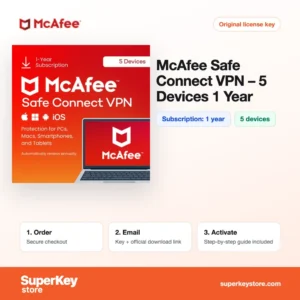
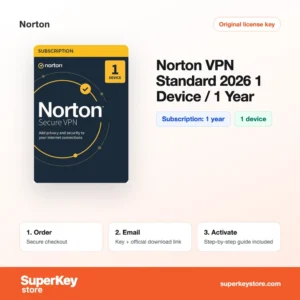
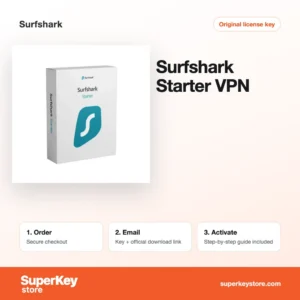
Options include Surfshark Starter VPN, Norton VPN Standard 2026 (1 device, 1 year) and McAfee Safe Connect VPN (5 Devices, 1 Year), each from an established security brand. Your activation code and download link are emailed, usually within minutes.
Why buy a VPN license?
A paid VPN adds protection that free services often lack:
- Safer public Wi-Fi: Encryption stops others on hotel, airport or café networks from reading your traffic.
- More privacy: Websites see the VPN server's IP address instead of yours, which limits tracking by location.
- Servers in many countries: You can connect through other regions when you travel and keep access to your usual services.
- No-log policies and kill switch: Reputable providers publish no-log policies, and a kill switch blocks traffic if the VPN connection drops.
- Several devices: One subscription can cover laptops, phones and tablets, depending on the plan.
What are the main features of VPNs?
The VPN services in this category share these core features:
1. Strong encryption
Traffic is encrypted with modern protocols such as WireGuard, OpenVPN or IKEv2. Others on the same network cannot read what you send.
2. IP address masking
Sites see the server address instead of your own. This limits location tracking and profiling by advertisers.
3. Automatic Wi-Fi protection
Most apps can connect automatically on untrusted networks. Travellers stay protected without remembering to switch on the VPN.
4. Kill switch
If the VPN connection drops, the kill switch blocks internet traffic until it returns. This prevents your real IP address from leaking.
5. Multi-platform apps
Apps are available for Windows, macOS, Android and iOS. One account covers the devices your plan allows.
Which VPN product is right for you?
Choose a single-device plan for one laptop or phone, and a five-device plan to protect a household or all your own devices.
| Product | Best for | Platform | Term | Devices |
|---|---|---|---|---|
| Norton VPN Standard 2026 (1 device, 1 year) | One device with a simple VPN | Windows, macOS, Android, iOS | 1 year | 1 |
| Kaspersky VPN Secure Connection (5 Devices, 1 Year) | Families with mixed devices | Windows, macOS, Android, iOS | 1 year | 5 |
| McAfee Safe Connect VPN (5 Devices, 1 Year) | Users who already know McAfee | Windows, macOS, Android, iOS | 1 year | 5 |
| F-Secure Total Security & VPN 2026 | Antivirus and VPN in one product | Windows, macOS, Android, iOS | 1 year | 1 |
| Surfshark Starter VPN | Streaming and travel, many devices | Windows, macOS, Android, iOS, Linux | See product page | Unlimited |
When comparing plans, look at three points: how many devices you want to protect, if you already use the same brand for antivirus, and if you need extra features such as streaming support or split tunnelling. Kaspersky, McAfee and Norton apps fit neatly next to their antivirus suites, while Surfshark is a dedicated VPN service with a large server network.
What are the system requirements for VPN?
VPN apps run on any current computer or smartphone; check each product's System Requirements tab for supported versions.
| Component | Minimum |
|---|---|
| Operating system | Windows 10 or 11, a recent macOS, Android or iOS |
| Processor | Any processor supported by these systems |
| Memory (RAM) | 2 GB or more |
| Disk space | About 100-500 MB for the app |
| Other | Internet connection; an account with the VPN provider |
A VPN works on any connection type, including home broadband, mobile data and hotel Wi-Fi. Faster internet connections make the encryption overhead hard to notice. Some routers and smart TVs can also use a VPN, but setup depends on the provider and the device.
How do you download and activate your VPN?
- Purchase: Select the VPN plan and finish checkout.
- Look for our email: The code and download link usually arrive within minutes; a security check can take up to 24 hours.
- Install the app: Download the VPN app from the provider's website or the official app store for your device.
- Activate: Create or sign in to your account with the provider, enter the code and connect to a server.
What happens to my VPN license if I reinstall or format my computer?
VPN subscriptions are stored in your account with the provider, not on the computer. After a reinstall, download the app again and sign in; the subscription is still active for the remaining term.
Plans with several devices let a household share one subscription, as long as each person signs in with the same provider account.
Can I move a VPN license to a new PC or Mac?
Yes. Install the app on the new PC or Mac and sign in, then remove the old device in the provider's account dashboard if your plan has a device limit. The same subscription covers Windows and Mac, as VPN plans are not split by platform.
If the app reports that the device limit is reached, sign in to the provider website and remove devices you no longer use. The subscription then accepts the new device straight away.
What if my VPN key does not work?
Please email support with your order number and a screenshot of the message the VPN app shows. We will provide a new code or a refund according to the Refund Policy.
Frequently asked questions about VPNs
Is a VPN legal?
Yes, in most countries using a VPN is legal. A few countries restrict them, and illegal activity remains illegal with a VPN.
Does a VPN replace antivirus software?
No. A VPN encrypts your connection but does not remove malware; a suite such as F-Secure Total Security combines both.
Will a VPN slow down my internet?
Slightly, because traffic travels via an extra server. Choosing a nearby server keeps the difference small for browsing and streaming.
Can I use one VPN license on my phone and laptop?
Yes, if the plan covers several devices. A one-device plan protects only one device at a time.
Does a VPN subscription renew automatically?
The plans sold here are prepaid for the stated term. When the term ends, you can buy a new code to extend it.
Should I use a VPN at home?
It is optional at home, since your own network is usually trusted. Many people still use it to limit tracking by advertisers and internet providers.
Do VPN apps work on smartphones?
Yes. All the brands here offer Android and iOS apps, and you sign in with the same account you activated on the computer.
Can I use a VPN for streaming?
Many VPNs work with streaming services, but providers may block VPN servers, so results vary.
Do I need technical knowledge to use a VPN?
No. The apps connect with one click and choose a fast server automatically.
Does a VPN make me completely anonymous?
No. A VPN hides your IP address and encrypts traffic on the network, but websites can still recognize you through logins, cookies and browser fingerprints. Combine it with good browsing habits and up-to-date security software for better privacy.
Related categories
For full device protection, browse Antivirus Licenses. You can also find Windows Licenses and Microsoft 365 Licenses for your devices.
What do you get after buying VPN Licenses at SuperKeyStore?
You get an email with your license key, the official download link and step-by-step activation instructions. These items are included with every order:
- License key: the product key for the edition, term and number of devices named on the product page.
- Official download: a link to the installer on the developer's own website.
- Activation guide: the steps to install and activate the software, also shown in the Download & Activation tab.
- Order history: the key stays in your confirmation email and under My account.
- Email support: help with installation or activation from our support team.
Why buy software licenses from SuperKeyStore?
SuperKeyStore sells digital license keys with email delivery, secure checkout and a clear policy for faulty keys. The main reasons customers order here are:
- Digital delivery: no shipping; the key usually arrives by email within minutes of payment, and some orders get a security check of up to 24 hours.
- Clear product details: every product page states the edition, platform, license term and number of devices.
- Replacement or refund: if a key does not work, you get a working key or your money back, as set out in the Refund Policy.
- Secure payment: payments are processed by the payment provider; SuperKeyStore does not store full card details.
Other software licenses in the SuperKeyStore catalog
SuperKeyStore also sells licenses in these categories:
- Windows Licenses: Windows 11 Licenses · Windows 10 Licenses
- Microsoft Office Licenses: Office 2024 Licenses · Office 2021 Licenses · Office 2019 Licenses · Office 2016 Licenses · Microsoft Office for Mac Licenses · Microsoft Word, Excel & Office App Licenses · Microsoft Project Licenses · Microsoft Visio Licenses
- Microsoft 365 Licenses
- Antivirus Licenses: Norton Antivirus Licenses · McAfee Antivirus Licenses · Kaspersky Antivirus Licenses · Bitdefender Antivirus Licenses · ESET Antivirus Licenses · Avast Antivirus Licenses · AVG Antivirus Licenses · Panda Antivirus Licenses · VPN Licenses · Business Security Licenses
- Windows Server Licenses & CALs: Windows Server CAL & RDS CAL Licenses · Microsoft SQL Server Licenses · Exchange & SharePoint Server Licenses
- CAD & 3D Design Software Licenses: Autodesk Software Licenses · Graphisoft Archicad Licenses · SolidWORKS Licenses
- Graphic Design & Photo Software Licenses: Adobe Software Licenses · CorelDRAW Licenses
- PDF & Office Tools Licenses
- Backup & Data Recovery Software Licenses
- Video & Music Software Licenses
- Virtualization Software Licenses
- Office & Windows Bundle Licenses