
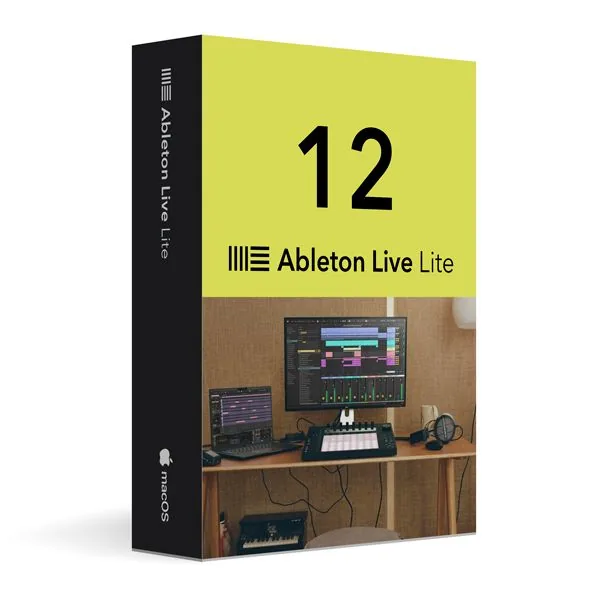
Ableton Live 12 Lite for macOS
€57.98
Ableton Live 12 Lite for macOS
In stock
Delivered by email, usually within minutes of payment
Key Features
Buy Ableton Live 12 Lite for macOS License Key on SuperKeyStore: original product key, free technical support and a replacement-or-refund guarantee for faulty keys. Compose beats, record vocals and arrange songs on a Mac with Session View, Arrangement View, drum racks and synthesizers. Delivered by email, usually within minutes of payment.
Buy Ableton Live 12 Lite for macOS
You get an Ableton Live 12 Lite for macOS license key, the download link and activation steps by email. Ableton Live 12 Lite for macOS is an entry-level edition of the Ableton Live 12 digital audio workstation for Mac computers, licensed for personal, non-commercial and educational use. No box or DVD is shipped.
| Detail | Value |
|---|---|
| Product | Ableton Live 12 Lite for macOS |
| Developer | Ableton |
| Category | Video & Music Software |
| Platform | macOS |
| Delivery | License key and download link by email |
What does Ableton Live 12 Lite for macOS do?
Ableton Live 12 Lite for macOS lets you compose, record, mix and perform music on a Mac. It is the smallest edition of the Ableton Live 12 digital audio workstation. The license is an educational license for personal and non-commercial use. Projects export without watermarks.
What are the main features of Ableton Live 12 Lite?
Live 12 Lite combines audio and MIDI tracks with two working views and a set of instruments. It offers these features:
- Two views: Session View for improvising with clips, Arrangement View for building a full song on a timeline.
- Audio and MIDI tracks: records vocals and instruments and plays software instruments.
- Drum racks and synthesizers: create beats and sounds without extra plug-ins.
- Real-time effects: shape the sound during playback and recording.
- Looping and layering: combine clips to test musical ideas quickly.
Does Ableton Live 12 Lite work with plug-ins and controllers on a Mac?
Yes, it supports third-party plug-ins and hardware controllers that are compatible with macOS. You can connect a MIDI keyboard, a pad controller or an audio interface. This extends the built-in sound library with your own tools.
How does the macOS edition differ from other Live 12 editions?
This edition runs on macOS only and has the track limits of the Lite version. The table compares it with its siblings:
| Edition | Platform | Scope |
|---|---|---|
| Live 12 Lite for macOS | macOS | Limited tracks and scenes |
| Live 12 Lite for Windows | Windows | Limited tracks and scenes |
| Live 12 Suite for macOS | macOS | Unlimited tracks, full sound library |
Producers who need more tracks can move to Ableton Live 12 Suite for macOS. Windows users should choose Ableton Live 12 Lite for Windows.
Why buy Ableton Live 12 Lite for macOS from SuperKeyStore?
Buying Ableton Live 12 Lite for macOS at SuperKeyStore includes:
- Original license: an original Ableton Live 12 Lite for macOS license key, activated through Ableton’s official activation.
- Platform: macOS.
- Email delivery: the license key and the official download link arrive by email, usually within minutes of payment (some orders get a security check of up to 24 hours).
- Free technical support: our team helps by email with installation and activation ([email protected]).
- Replacement or refund: if the key does not work, you get a working key or your money back, as set out in our Refund Policy.
How do you redeem your Ableton Live 12 Lite for macOS key?
You redeem the key in a few steps after the order email arrives. The redemption guide for Ableton Live 12 Lite for macOS is:
- Create (or sign in to) your free Ableton account at ableton.com.
- Register your serial number in your account, as described in your order email.
- Download Live 12 from your account, install it and authorize it by signing in when Live starts.
Your key also stays in your order email and under My account.
System Requirements
| Operating system | macOS 11 Big Sur or later |
|---|---|
| Processor | Apple silicon or Intel Core i5 |
| Memory (RAM) | 8 GB |
| Disk space | 3 GB (up to 80 GB for the full Suite sound library) |
| Display | 1280 x 800 |
| Internet | Required for download and activation |
Download & Activation
Download Ableton Live 12 Lite for macOS with SuperKeyStore
Buying Ableton Live 12 Lite for macOS takes a minute: add it to your cart, pay through our secure, encrypted checkout and you receive your product key and the official download link by email, usually within minutes. Everything you need is in your order email, together with these instructions.
How to install and activate Ableton Live 12 Lite for macOS
- Create (or sign in to) your free Ableton account at ableton.com.
- Register your serial number in your account, as described in your order email.
- Download Live 12 from your account, install it and authorize it by signing in when Live starts.
Stuck at any step? Email [email protected] with your order number and a screenshot. Our support is free, and if a key does not work we send a replacement or refund you, as set out in our Refund Policy.
Why choose Ableton Live 12 Lite for macOS
Ableton Live 12 Lite is a music production and live performance software for producers, DJs, live performers and musicians. Highlights: Lite: an introduction to Live with up to 8 tracks, ideal for getting started; Session View and Arrangement View; MIDI and audio recording, warping and editing.
More software at SuperKeyStore
Popular with this product: Windows 11 Pro, Office 2024 Professional Plus, Microsoft 365 Personal. Browse all Microsoft Office, antivirus software, money-saving bundles and Microsoft apps.
Digital delivery
All our products are delivered digitally by email: no shipping costs, no waiting for a parcel and no packaging waste. Your key is stored in your order email and, if you created one, in your account, so you can find it again at any time.
FAQ
What kind of license do I receive?
A genuine license for 1 user. The exact license terms are included in your order email.
Which operating system does it run on?
This edition runs on macOS. It does not run on Windows; choose the matching edition for another system.
On how many computers can I use it?
The license is for 1 user. Contact us before buying if you need licenses for several people.
Where do I download the software?
From the official Ableton website or the official link in your order email. The Download & Activation tab explains every step.
Do I need an internet connection?
Yes, to download and activate the software and to sign in regularly.
How fast will I receive my key?
By email, usually within minutes of payment. Some orders go through a short security check that can take up to 24 hours. Please check your spam folder too.
What if my key does not work?
Email us your order number and a screenshot of the error. We send a replacement or refund you, as described in our Refund Policy.
More questions? See our FAQ, Refund Policy or contact us.
- Free supportBy email
- Instant deliveryKey in minutes
- Secure paymentsEncrypted checkout
- Genuine licensesOfficial activation
- Working-key guaranteeReplacement or refund
Chosen for you
View all Ableton Live 12 Suite for macOS€93.98+ Add
 Corel Pinnacle Studio 26 Standard Original price was: €33.98.€22.98Current price is: €22.98.+ Add
 EaseUS VoiceWave Pro€22.98 €66.98+ Add
 Audials One 2023€26.98+ Add
 FL Studio Producer Edition for Windows€227.98+ Add
Reviews
There are no reviews yet.