
Licenças de software CAD e design 3D
CAD and 3D design software is used to draw plans, model buildings and products, and create 3D animation. The category holds Autodesk, Graphisoft Archicad, SolidWORKS, SketchUp, Rhino and Ashampoo 3D CAD.
Browse CAD & 3D Design Software Licenses by type: Licenças de software Autodesk, Licenças Graphisoft Archicad, Licenças SolidWORKS.
- 2
- 3
- 4
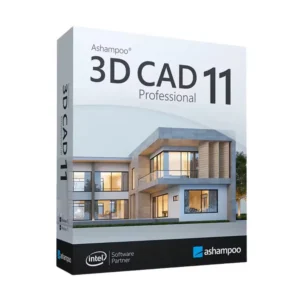
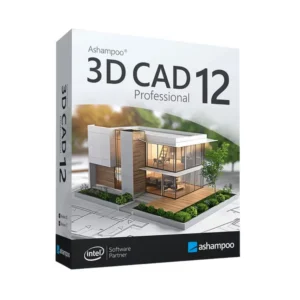
Buy CAD & 3D Design Software Licenses at SuperKeyStore
This is the main category for technical drawing, building information modeling (BIM), mechanical design and 3D visualization. It serves architects, engineers, product designers, makers and students who need a professional modeling tool without paying the developer's full list price.
You will find general-purpose modellers such as Rhino 8 (Rhinoceros 3D) e SketchUp Pro 2025 (1 Year), mechanical CAD like SolidWORKS Standard 2026, and many Autodesk titles. Each order is delivered by email with a license key or account details and a download link, usually within minutes.
Why buy a CAD & 3D design license?
A licensed design program gives you capabilities that free tools rarely match:
- Precise 2D drawings: Programs like AutoCAD produce dimensioned plans and details that contractors and manufacturers can build from.
- BIM for buildings: Revit and Archicad keep plans, sections, schedules and 3D views of one model in sync, so a change updates every sheet.
- Parametric part design: SolidWORKS, Inventor and Fusion 360 drive geometry from dimensions, which makes revisions and part families fast.
- Freeform and concept modeling: Rhino and SketchUp handle curved surfaces, furniture, jewellery and early design ideas.
- Industry file formats: DWG, IFC, STEP and STL support lets you exchange files with clients, consultants and 3D printers.
What are the main features of CAD & 3D design software?
The products in this category share several core abilities:
1. Precise 2D drafting
Lines, dimensions, layers and annotation produce drawings to scale. Architects and engineers deliver plans that can be built or manufactured.
2. Parametric 3D modeling
Inventor, SolidWORKS and Fusion 360 build parts from sketches driven by dimensions and constraints. Product engineers change one value and the model updates.
3. Building information modeling
Revit and Archicad store walls, doors and slabs as real building elements with data. Design teams get plans, sections and schedules from one consistent model.
4. Freeform surfaces
Rhino handles NURBS curves and surfaces for boats, jewellery and furniture, and SketchUp offers fast push-pull modeling. Designers explore ideas quickly.
5. Rendering and visualization
3ds Max, Twinmotion and built-in render engines create realistic images and animations. Clients understand a project before it is built.
6. Data exchange
DWG, IFC, STEP, STL and FBX formats move models between programs and manufacturers. Teams that use different tools can still share work.
Which CAD & 3D design product is right for you?
Architects should look at Revit or Archicad, mechanical engineers at SolidWORKS or Inventor, and designers who want simple 3D at SketchUp or Rhino. Students can save money with the education licenses marked "(Education)", which are for non-commercial learning and teaching only.
| Produto | Best for | Platform | License/term |
|---|---|---|---|
| Rhino 8 (Rhinoceros 3D) | Freeform surfaces, jewellery, product design | Windows and macOS | Licença perpétua (pagamento único) |
| SketchUp Pro 2025 (1 Year) | Quick 3D for interiors and architecture | Windows and macOS | Subscription for 1 year |
| Autodesk Revit 2024/2025/2026 | BIM for building design teams | Windows | See product page |
| Graphisoft Archicad 29 for macOS | BIM for architects on Mac | macOS | See product page |
| SolidWORKS Premium 2025 for Windows | Mechanical design with simulation | Windows | See product page |
| Autodesk AutoCAD 2027 Complete Package (Education) | Students learning 2D and 3D drafting | Windows | Education, non-commercial |
What are the system requirements for CAD & 3D design software?
Most CAD programs need a 64-bit computer with a dedicated graphics card; requirements differ by product, so check each product's System Requirements tab.
| Componente | Mínimo |
|---|---|
| Sistema operativo | 64-bit Windows 10 or 11; macOS for Archicad, Rhino and SketchUp |
| Processador | Modern multi-core 64-bit processor (2.5 GHz or faster recommended) |
| Memória (RAM) | 8 GB minimum; 16-32 GB recommended for BIM and large assemblies |
| Espaço em disco | 10-40 GB free disk space depending on the program |
| Other | Internet for activation and sign-in; a graphics card with DirectX 11/12 or Metal support |
How do you download and activate CAD & 3D design software?
- Pick the program, version and platform you need, and complete checkout.
- Open the delivery email with your key or account details and the download link; it usually arrives within minutes, or up to 24 hours when an order is checked for security.
- Download the installer from the developer's official site, for example Autodesk, Graphisoft, Dassault Systèmes, Trimble or McNeel.
- Enter the key or sign in during setup to activate the license.
What happens to my CAD & 3D design software license if I reinstall or format my computer?
It depends on the developer. Autodesk and SketchUp licenses are tied to your account, so you sign in again after reinstalling. SolidWORKS, Archicad and Rhino use serial numbers or license keys that you enter again after installing; deactivate first if the program offers a transfer option.
Can I move a CAD & 3D design software license to a new PC or Mac?
Yes, in most cases. Sign out of account-based software on the old device, or use the license transfer function in SolidWORKS, Rhino and Archicad, then activate on the new computer. Revit, Inventor, 3ds Max and SolidWORKS are Windows-only, so they cannot move to a Mac.
What if my CAD & 3D Design key does not work?
Write to our support with your order number and a screenshot of the activation error. We replace the key or refund the order as set out in the Política de reembolso.
Frequently asked questions about CAD & 3D design software
Which CAD software runs on a Mac?
Archicad, Rhino and SketchUp run natively on macOS. Revit, 3ds Max, Inventor and SolidWORKS are Windows-only.
Is a lifetime CAD license better than a subscription?
A lifetime license, such as Rhino 8, costs more once but never expires. A subscription costs less up front but must be renewed to keep using the program.
Can I use an education license for client work?
No. Education licenses are for students and teachers and allow personal, non-commercial use only.
What is the difference between CAD and BIM?
CAD draws lines and shapes that represent a design. BIM models real building elements such as walls and windows with data, and creates drawings from that model.
Do I need a powerful computer for 3D design?
Yes, for larger projects. A multi-core processor, 16 GB of RAM or more and a dedicated graphics card make modeling and rendering much smoother.
Which program is easiest for beginners?
SketchUp is the easiest to learn for 3D. AutoCAD is a common first choice for 2D drafting.
Do Autodesk education licenses include all Autodesk programs?
No. Each product in this category covers the program named in its title, such as AutoCAD or Inventor, unless it is a collection.
Can I 3D print from these programs?
Yes. Most of them export STL or 3MF files that slicer software uses for 3D printing.
What is the difference between Fusion 360 and Inventor?
Fusion 360 is cloud-based and combines CAD, CAM and simulation. Inventor is a desktop program for large mechanical assemblies on Windows.
Is Rhino 8 a lifetime license?
Yes. Rhino 8 is sold as a one-time purchase that does not expire, with upgrades to later major versions sold separately.
Browse CAD & 3D Design Software Licenses by type
Go straight to a brand: Licenças de software Autodesk for AutoCAD, Revit, Inventor and 3ds Max, Licenças Graphisoft Archicad for BIM on Windows and Mac, and Licenças SolidWORKS for mechanical engineering.
A design workstation also needs a system and office tools, which you will find in Licenças Windows e Licenças Microsoft Office.
O que recebe ao comprar licenças de software CAD e design 3D na SuperKeyStore?
Recebe um e-mail com a sua chave de licença, a ligação de transferência oficial e instruções de ativação passo a passo. Cada encomenda inclui:
- Chave de licença: a chave de produto para a edição, a duração e o número de dispositivos indicados na página do produto.
- Transferência oficial: uma ligação para o instalador no site do próprio fabricante.
- Guia de ativação: os passos para instalar e ativar o software, que também aparecem no separador «Transferência e ativação».
- Histórico de encomendas: a chave continua disponível no seu e-mail de confirmação e em A minha conta.
- Apoio por e-mail: ajuda com a instalação ou a ativação por parte da nossa equipa de apoio.
Porquê comprar licenças de software na SuperKeyStore?
A SuperKeyStore vende chaves de licença digitais com entrega por e-mail, pagamento seguro e regras claras em caso de chave com defeito. Estes são os principais motivos para comprar aqui:
- Entrega digital: sem envios físicos; a chave chega normalmente por e-mail poucos minutos após o pagamento, e algumas encomendas passam por uma verificação de segurança que pode demorar até 24 horas.
- Informação clara: cada página de produto indica a edição, a plataforma, a duração da licença e o número de dispositivos.
- Substituição ou reembolso: se uma chave não funcionar, recebe uma chave que funcione ou o seu dinheiro de volta, conforme indicado na Política de reembolso.
- Pagamento seguro: os pagamentos são processados pelo prestador de pagamentos; a SuperKeyStore não guarda os dados completos do cartão.
Outras licenças de software no catálogo da SuperKeyStore
A SuperKeyStore também vende licenças nestas categorias:
- Licenças Windows: Licenças Windows 11 · Licenças Windows 10
- Licenças Microsoft Office: Licenças Office 2024 · Licenças de Microsoft Office para Mac · Licenças de Microsoft Word, Excel e aplicações Office · Licenças Microsoft Project · Licenças Microsoft Visio
- Licenças Microsoft 365
- Licenças de antivírus: Licenças de antivírus Norton · Licenças de antivírus McAfee · Licenças de antivírus Kaspersky · Licenças de antivírus Bitdefender · Licenças de antivírus ESET · Licenças de antivírus Avast · Licenças de antivírus AVG · Licenças de antivírus Panda · Licenças VPN · Licenças de segurança para empresas
- Licenças de Windows Server e CAL: Licenças CAL de Windows Server e CAL de RDS · Licenças Microsoft SQL Server · Licenças Exchange & SharePoint Server
- Licenças de software CAD e design 3D: Licenças de software Autodesk · Licenças Graphisoft Archicad · Licenças SolidWORKS
- Licenças de software de design gráfico e fotografia: Licenças de software Adobe · Licenças CorelDRAW
- Licenças de PDF e ferramentas de escritório
- Licenças de software de cópia de segurança e recuperação de dados
- Licenças de software de vídeo e música
- Licenças de software de virtualização
- Packs Office e Windows